JioTV APK Mod: Features, Download, Risks, & Best Legal Alternatives
The digital entertainment landscape in India has undergone a massive transformation, and Reliance Jio has been at the forefront of this revolution. With over 1,000 live TV channels and integration with multiple OTT platforms, the official JioTV app has become the go-to entertainment hub for millions of Indians. However, there is a significant catch: the platform is exclusively restricted to active Jio SIM card users.
This strict network limitation has fueled a massive surge in searches for the JioTV APK Mod. Users across the country are constantly looking for modified versions of the application that promise to bypass network restrictions, eliminate advertisements, and unlock premium features without requiring a Jio network connection.
But does a modded version of this highly secure app actually work? Are the third-party download links safe, or are they hiding malicious software?
In this comprehensive guide, we will dive deep into everything you need to know about the JioTV Mod APK. We will explore its claimed features, analyze the technical reality behind the “No Jio SIM required” myth, highlight the severe security risks involved, and provide you with the best legal alternatives for streaming live television in India.
What is JioTV APK Mod?
To understand what the modded version is, you first need to understand how Android applications work. An APK (Android Package Kit) is the file format used by the Android operating system for the distribution and installation of mobile apps.
A Mod APK (Modified APK) is an altered version of the original application. Independent developers or hackers take the original official file, reverse-engineer its code, and modify it to alter the app’s default behavior.
In the case of the JioTV APK Mod, third-party developers alter the application’s source code in an attempt to disable client-side restrictions. The primary goal of these modifications is to allow users who use networks like Airtel, Vi (Vodafone Idea), or BSNL to access Jio’s vast library of live channels without needing a Jio number for OTP (One-Time Password) verification. Furthermore, these mods often attempt to strip away the digital rights management (DRM) protections that prevent screen recording and cast functionalities.
While the concept sounds incredibly appealing to cord-cutters and non-Jio users, the reality of using modified streaming apps is highly complex, technically unstable, and legally questionable.
Key Features Claimed in JioTV Mod APK
Third-party websites distributing these modified files make bold claims to attract downloads. If you browse through forums or unofficial app repositories, you will see a consistent list of promised features. Here are the most prominent claims made about the JioTV Mod APK:
1. Jio Network Bypass (No Jio SIM Required)
The biggest selling point of the modded application is the promise of network independence. The official app requires users to log in using an active Jio mobile number or JioFiber connection. Mod developers claim to have patched the login gateway, allowing users to either bypass the login screen entirely or use a generic dummy account to access the dashboard on any Wi-Fi or cellular network.
2. Completely Ad-Free Streaming Experience
While the official application is free for Jio subscribers, it supports itself through in-stream advertisements and banner ads. The modified versions claim to feature a built-in ad-blocker. By removing the code scripts responsible for fetching ads from Google and Jio’s ad networks, the mod promises a seamless, uninterrupted viewing experience, especially during live sports broadcasts.
3. Screen Recording and Screenshots Unlocked
Due to strict copyright laws and DRM policies, the official application blackscreens if you try to take a screenshot or record a video of the broadcast. The modded APK claims to bypass these secure flags (specifically the FLAG_SECURE parameter in Android), allowing users to take screenshots of live TV, record news segments, or capture moments from their favorite daily soaps.
4. Smart TV and Android Box Compatibility
The standard mobile version of the official app is not optimized for Android TV interfaces, often requiring a mouse toggle to navigate. Furthermore, Jio offers “JioTV+” exclusively for its Jio Set-Top Box users. Many modded APKs are specifically tailored as “Android TV Mods,” featuring enhanced user interfaces that work flawlessly with remote controls, allowing users to watch live channels on large screens without buying a Jio Set-Top Box.
5. Minimized Background Playback
Some modified variants offer Picture-in-Picture (PiP) mode or background audio playback without the restrictions imposed by the official build. This allows users to listen to live news or sports commentary while minimizing the app to use WhatsApp or browse the web.
Official JioTV vs. JioTV Mod APK: A Detailed Comparison
To help you understand the core differences between the legitimate application and the modified versions floating around the internet, we have compiled a comprehensive comparison table.
| Feature / Aspect | Official JioTV App | JioTV APK Mod |
| Source of Download | Google Play Store / Apple App Store | Unofficial third-party websites |
| Network Requirement | Active Jio SIM or JioFiber required | Claimed to work on Airtel, Vi, Wi-Fi |
| Account Login | OTP verification mandatory | Claimed login bypass / pre-patched |
| Advertisements | Contains unskippable video and banner ads | Claimed to be 100% ad-free |
| Security Status | 100% safe, verified by Google Play Protect | Highly risky, potential malware threats |
| App Updates | Automatic, seamless updates | Manual re-installation required for updates |
| Customer Support | Full access to Jio customer care | No support; you are on your own |
| Legality | 100% Legal and compliant with TOS | Illegal modification, violates terms of service |
| Screen Recording | Blocked via DRM protection | Claimed to be unlocked |
The Reality: Does JioTV APK Mod Without Jio SIM Really Work?
When discussing modified apps, it is crucial to separate marketing hype from technical reality. Do these “No Jio SIM” mods actually work?
The short answer is: Rarely, and never for long.
Here is the technical explanation of why bypassing the network restriction is incredibly difficult:
The Shift to Server-Side Authentication
In the early days of Android, many apps relied on client-side authentication. This meant the app itself checked if you were eligible to use it. Hackers could easily modify the app to trick it into thinking the user was authenticated.
However, Reliance Jio uses highly advanced server-side authentication. When you open the app, it sends a request to Jio’s secure servers. The server checks your IP address, your telecom operator, and the active token generated by your OTP login. If the server detects that the request is not coming from an authenticated Jio network or a valid logged-in session, it immediately blocks the video stream.
Token Expiration and API Changes
Even if a mod developer manages to hardcode a premium token into an APK to bypass the login, Reliance Jio’s servers automatically expire these tokens within hours or days. Furthermore, Jio frequently updates its Application Programming Interfaces (APIs). When the official API changes, the modded app immediately breaks, resulting in “Network Error,” “Stream Failed,” or infinite buffering screens.
The Myth of the “Lifetime Mod”
If you see a website offering a “Lifetime Working JioTV Mod APK,” it is likely clickbait. Because the streams are hosted on highly secure, DRM-protected servers, any backdoor access is quickly identified and patched by Jio’s cybersecurity team. Users who rely on mods often find themselves having to search for a new updated mod file every single week just to keep watching.
How Users Typically Install Modded APKs on Android
Because modified applications violate the policies of the Google Play Store, they cannot be hosted there. Users who choose to use mods have to manually sideload the application onto their Android devices.
Disclaimer: This section is strictly for educational purposes. We do not endorse or encourage the installation of modified applications due to the severe security risks involved.
For those curious about how sideloading works, the process generally involves the following steps:
- Bypassing Default Security: By default, Android blocks the installation of apps from unknown sources to protect users from malware. Users first navigate to their phone’s Settings > Security > Install Unknown Apps and grant permission to their web browser (like Chrome).
- Finding the APK File: Users search for the modded file on third-party forums, Telegram channels, or unofficial app repositories. This is the most dangerous step, as distinguishing between a clean file and a virus is almost impossible for an average user.
- Downloading the Package: The .apk file is downloaded to the device’s local storage.
- Execution and Installation: The user taps the downloaded file, bypassing Google Play Protect warnings, and installs the application directly onto the system.
- Granting Permissions: Upon opening, the app requests permissions such as storage, location, and media access.
Pros & Cons of Using Modded Streaming Apps
Before even considering downloading a third-party modification, it is vital to weigh the claimed benefits against the harsh realities.
The Pros (Claimed)
- Cost-Efficiency: Allows users without a Jio network to potentially access premium live TV without buying a new SIM card.
- No Interruptions: The removal of banner and pre-roll advertisements provides a cleaner interface.
- Flexibility: Features like unlocked screen recording and PiP mode offer better control over how content is consumed.
- Device Independence: Specifically patched versions allow usage on non-certified Android TV boxes and older smart TVs.
The Cons (The Reality)
- Severe Security Threats: The biggest drawback. Mods are notorious for carrying hidden malware, spyware, and cryptominers.
- Extreme Instability: Due to server-side updates, modded apps crash frequently and face constant buffering issues.
- Account Bans: If you use your actual Jio number to log into a modded application, Jio’s automated systems may detect the unauthorized client and permanently ban your account.
- No Updates: You will miss out on official bug fixes, new channels, and UI improvements unless you manually hunt down a new modded file.
Security & Privacy Risks You Must Know
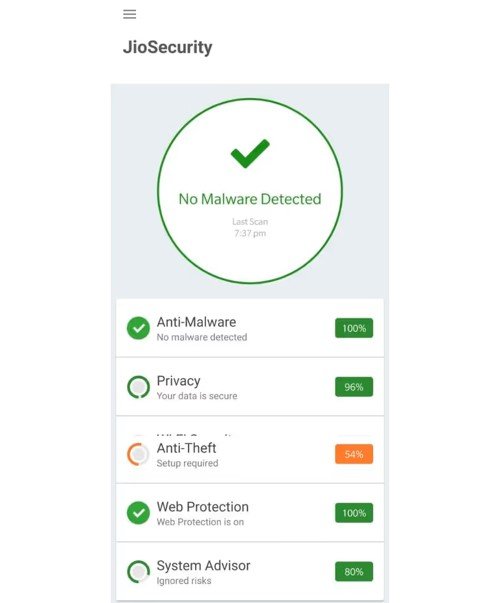
The allure of free live TV often blinds users to the severe cybersecurity risks associated with modified APKs. As an expert SEO content writer and tech analyst, I cannot stress this enough: Downloading modded apps from random websites is a massive gamble with your digital identity.
Here is a detailed breakdown of the security risks you face when installing a JioTV APK Mod:
1. Malware and Trojan Injections
When a hacker modifies an APK, they unpack the original code, make changes, and repack it. During this process, it is incredibly easy for them to inject malicious payloads. You might think you are installing a TV app, but you could actually be installing a Banking Trojan designed to intercept your SMS messages and steal your OTPs.
2. Data Theft and Privacy Invasion
Modded apps often request unnecessary permissions. Why does a live TV app need access to your contacts, your exact GPS location, or your device’s microphone? By granting these permissions to an unverified app, you are potentially handing over your private data to unknown entities operating outside of Indian legal jurisdiction.
3. Disabling Google Play Protect
To install many of these mods, websites will instruct you to disable Google Play Protect—Android’s built-in anti-malware system. Disabling this crucial security layer leaves your entire smartphone vulnerable to not just the modded app, but any other threats lurking on the internet.
4. Background Resource Hijacking
Have you ever noticed your phone heating up or your battery draining rapidly after installing a third-party app? Many modded APKs contain hidden cryptominers or turn your device into a botnet node. The app silently uses your phone’s processor and mobile data in the background to generate money for the hacker, ruining your device’s hardware in the process.
Legal Alternatives to JioTV APK Mod for Live TV in India
You do not need to risk your privacy and device security just to watch live TV. The Indian OTT market is highly competitive, and there are several fantastic, secure, and legal alternatives available.
1. Airtel Xstream Play
If you are an Airtel user, you do not need JioTV at all. The Airtel Xstream app offers a massive library of live TV channels, movies, and web series. It is officially available on the Play Store and comes bundled for free with various Airtel prepaid, postpaid, and broadband plans.
2. Tata Play Binge
Tata Play (formerly Tata Sky) has transitioned brilliantly into the digital space. The Tata Play Binge app acts as a massive aggregator. Even if you don’t have a DTH connection, you can purchase a Binge subscription to access live sports, news, and premium content from over 20+ OTT platforms in one secure, unified interface.
3. Disney+ Hotstar
For sports enthusiasts who are looking for JioTV primarily for live cricket, football, or kabaddi, Disney+ Hotstar is the official streaming partner for many major tournaments in India. While premium content requires a subscription, they frequently stream major sporting events for free on mobile devices.
4. Zee5 and SonyLIV
If your primary interest lies in regional channels, daily soaps, and reality shows, downloading the official Zee5 and SonyLIV apps is your best bet. Both platforms offer substantial free tiers that allow you to watch live news channels and catch-up TV episodes entirely free of cost and legally.
5. YuppTV
YuppTV is a highly respected, legal streaming platform that focuses heavily on South Indian regional content, alongside Hindi news and entertainment. It is available on all smart TVs and mobile devices, offering a secure alternative to pirated mods.
How to Use Official JioTV on Smart TVs and PCs (Without Mods)
Many users seek out mods simply because they want to watch JioTV on a larger screen. You don’t need an illegal mod to achieve this; there are legitimate workarounds.
For Smart TV Users (JioTV+)
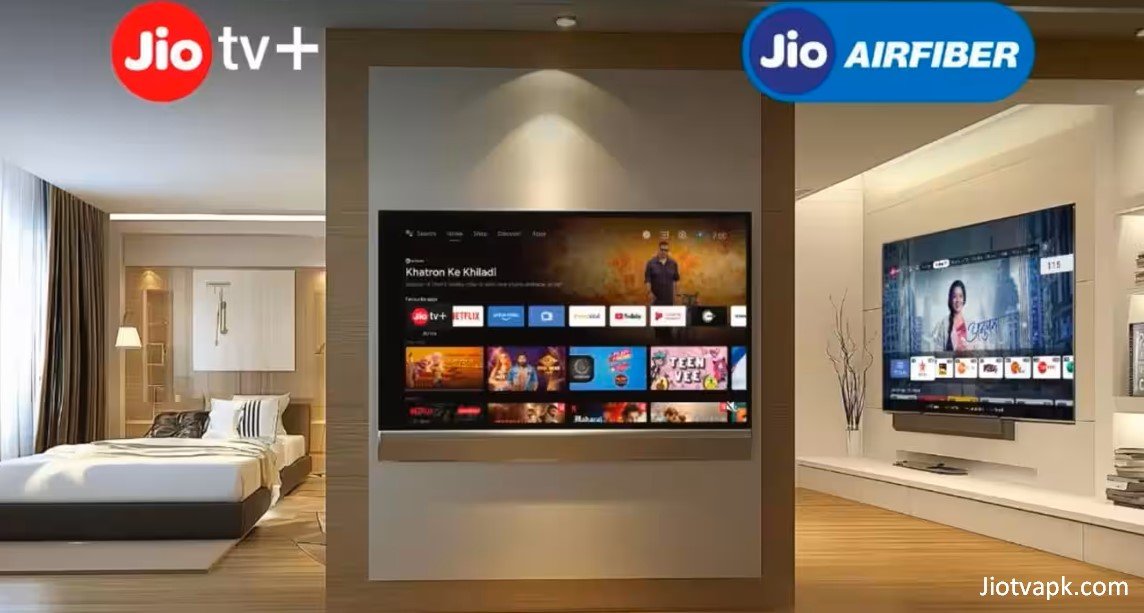
Reliance Jio officially supports smart TV viewing through its Jio Set-Top Box. If you have a JioFiber broadband connection, you get the Jio Set-Top Box for free. This box comes pre-installed with JioTV+, a revolutionary app that aggregates over 800 live TV channels and content from 14+ OTT platforms directly onto your large screen. It features a voice-enabled remote, personalized recommendations, and a dedicated kids’ section.
For PC and Laptop Users (Android Emulators)
If you want to watch the official app on your Windows PC or Mac, the safest method is using a certified Android Emulator.
- Download a trusted emulator like BlueStacks or NoxPlayer.
- Install the emulator on your PC and sign in with your Google account.
- Open the Google Play Store within the emulator.
- Search for the official JioTV app, download it, and log in securely with your Jio number.
This method is 100% legal, secure, and gives you the large-screen experience without any risks.
Screen Casting via Official App
While direct screen mirroring is often blocked by DRM on the mobile app, you can use the official web versions of partnered OTT platforms (like JioCinema for sports and movies) to cast directly to your Chromecast or smart TV legally.
Frequently Asked Questions (FAQs)
1. Is JioTV APK Mod safe to download and use?
No, it is highly unsafe. Modded APKs are not verified by Google Play Protect. They are frequently packed with malware, spyware, and aggressive adware that can compromise your personal data, steal banking credentials, and damage your device.
2. Can I use the JioTV Mod APK without a Jio SIM card?
While mod developers claim their apps bypass the network restriction, these claims are usually false or very short-lived. Jio uses strict server-side authentication, meaning the servers will quickly detect and block unauthorized access from non-Jio networks.
3. Is there a modified version of JioTV available for iOS/iPhone?
No. Apple’s iOS ecosystem is a “walled garden,” meaning it is incredibly difficult to sideload modified applications without “jailbreaking” your iPhone. Any website claiming to offer an “iOS JioTV Mod” is likely a scam designed to harvest your data.
4. Will my official Jio account get banned for using a modded app?
Yes, there is a significant risk. If you log into a modified application using your actual Jio mobile number, Jio’s automated security systems can flag the abnormal client behavior and permanently suspend your account for violating their Terms of Service.
5. How do I update a modded APK?
Unlike official apps that update automatically via the Play Store, modded apps require you to manually find, download, and install the latest modified file from third-party websites every time the official app receives a forced update.
6. Does the modded app support Android TV and Firestick?
Some specific mods are built for Android TV interfaces, but they suffer from the same security and stability issues as mobile mods. The legal and superior alternative for TV viewing is the official JioTV+ app on the Jio Set-Top Box.
7. Why does my JioTV Mod keep showing a “Network Error”?
This happens because Reliance Jio has updated its API or token authentication servers. When the official server protocols change, the modded app can no longer communicate with the servers, resulting in a permanent network error until the hacker creates a new patch.
8. Is screen casting supported in the mod version?
Some mods claim to bypass DRM to allow screen recording and casting. However, this is highly unstable, often resulting in black screens or audio desync, and directly violates copyright laws.
9. Are there any free, official alternatives to JioTV for non-Jio users?
Yes. Platforms like Airtel Xstream Play (for Airtel users), Vi Movies & TV (for Vi users), Zee5, SonyLIV, and JioCinema offer substantial free content, live news, and sports without requiring illegal modifications.
10. Why is the official app blocking my screenshots?
The official app implements Android’s FLAG_SECURE parameter to comply with Digital Rights Management (DRM) laws. This prevents piracy and protects the copyrighted content owned by the broadcasters.
Conclusion
The appeal of the JioTV APK Mod is easy to understand. In a market hungry for digital entertainment, the promise of ad-free streaming, premium channel access, and network independence is a powerful draw. However, as an informed consumer, it is crucial to look past the attractive claims and acknowledge the harsh realities.
Using modified streaming applications is a dangerous game of digital Russian roulette. The temporary convenience of bypassing a Jio SIM requirement is heavily outweighed by the extreme risks of malware infections, severe privacy breaches, and constant app crashes. Furthermore, Reliance Jio’s robust server-side security ensures that these mods rarely function for more than a few days before breaking entirely.
Instead of compromising your smartphone’s security and your personal data on illegal modifications, the smartest choice is to embrace the legitimate ecosystem. If you are a Jio user, the official app remains the safest, fastest, and most reliable way to consume content. If you are on a different network, utilizing official platforms like Airtel Xstream, Tata Play Binge, Disney+ Hotstar, or Zee5 provides a secure, high-quality, and legally compliant entertainment experience.
Stay safe, protect your digital footprint, and always choose official applications for your streaming needs.